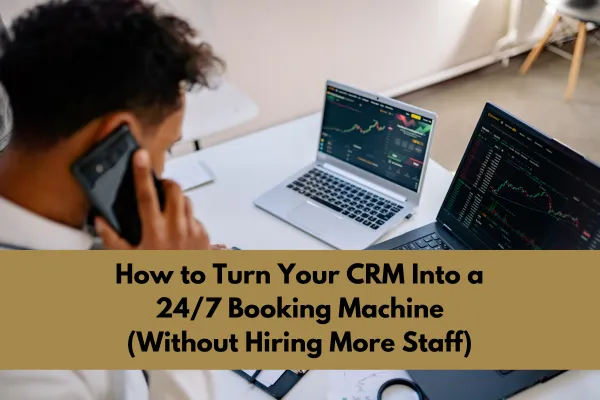
How to Turn Your CRM Into a 24/7 Booking Machine (Without Hiring More Staff)
Let’s face it: manual booking processes are a headache for most med spas. You’ve got people ready to lock in appointments, but they’re stuck waiting for a callback or email. Meanwhile, your team is scrambling to keep up with phone calls, emails, and walk-ins. It’s a mess. And what happens? Missed opportunities, annoyed clients, and higher staffing costs than you bargained for.
Imagine this instead: your CRM handling bookings like a pro, automatically, around the clock, no extra hands needed. Sounds like magic, right? It’s not. With the right tweaks, your CRM could transform into a booking machine that saves you time, cuts costs, and boosts revenue. Here’s how you can pull it off.
Turn your CRM into a 24 7 booking machine
If your CRM is not consistently bringing in appointments you are leaving money on the table. Learn how to automate follow up and turn every lead into a booked client.
👉 Get the CRM System That Drives Daily Bookings
Why Booking Sometimes Feels Like a Struggle
Before we jump into solutions, let’s talk about the trouble spots. Booking friction usually shows up in situations like these:
Delayed Responses: These days, people want answers NOW. Manual systems? They often mean waiting. Frustrating.
Missed Calls: Your team can’t be on the phone 24/7, especially during the busiest hours.
Confusing Systems: If the booking process makes people pause or scratch their heads, they’re just going to give up. Fast.
Limited Availability: When bookings rely on staff availability, it creates unnecessary hurdles for clients trying to schedule.
Here’s the good news: CRM automation can tackle each of these pain points, turning your system into a smooth, efficient booking solution. Almost effortless.
Supercharging Your CRM
Your CRM is already packed with tools, it’s just waiting for you to unlock its real power. Here’s the lowdown:
Make Online Booking Easy: Most CRMs already have online booking features. Turn them on, and tweak the look so it meshes with your branding.
Immediate Responses: Use pre-made email or text templates to confirm appointments the moment they’re booked. Clients love instant reassurance.
Sync Your Calendars: Integrate your CRM with team calendars to ensure scheduling is accurate and up-to-date.
Keep Clients Updated: Set automatic appointment reminders via email and SMS. Fewer no-shows, happier clients.
Go Mobile-Friendly: Test your booking interface on a smartphone. Most people book on their phones, so make sure it’s smooth as butter.
Quick tip: Try booking as if you’re the client. If something feels clunky or confusing, fix it.
Speed Over Everything
Let’s be real: patience is scarce these days. If a potential client has to wait for hours, or even minutes, for a response, they might look elsewhere. Here are some quick fixes to make speed your superpower:
Chatbots: These little helpers can answer FAQs and guide clients through booking. Fast and effective.
Email Auto-Replies: Set up instant response emails. Something like, “Thanks for reaching out! Your appointment is confirmed!”
Text Links: Send booking links directly via text. Easy access equals happy clients.
Push Notifications: If you have an app, send alerts for available slots or special deals. It keeps clients engaged.
Here’s the best part: these systems free up your staff to focus on real-time interactions with clients who are already in the spa.
Making Your Booking Link Irresistible
Your booking link is the first step to effortless scheduling, so make it shine. Here’s how:
Keep It Short: Nobody likes long, clunky URLs. Use something quick and memorable.
Sell It: Add a catchy tagline like “Book your spot in seconds, no hassle!”
Put It Everywhere: Add the link to your site, socials, email signature, and even printed cards. The easier it is to find, the better.
Call to Action: Use phrases that motivate, like “Lock in your appointment now” or “Treat yourself today!”
Track and Tweak: Use analytics tools to see how many clicks your link gets. If it’s underperforming, adjust it.
Pro tip: Double-check that your link works on every device, desktop, tablet, phone. No excuses for tech glitches!
Making Everything Work Together
If you want your CRM to truly shine, integration is key. Here’s how you can connect all the dots:
Add Payments: Link your CRM to a payment system, so clients can pay when they book.
Include Marketing Tools: Sync with email platforms to send promotions, updates, and thank-you notes.
Use Analytics: Connect tools like Google Analytics to monitor how clients behave during the booking process.
Think Social: Make bookings possible right from your social media profiles.
Push Reviews: After appointments, encourage clients to leave reviews, boosting your credibility online.
Bottom line: the smoother the process, the happier everyone, clients AND staff.
Building a CRM That Works 24/7
Feeling motivated yet? Here’s how to make your CRM a round-the-clock booking superstar:
Step 1: Assess Your CRM (Week 1)
Start by reviewing what your CRM can already do. Make a list of the features you need but don’t yet have.Step 2: Turn On Booking Functions (Week 2)
Activate online booking and customize the interface. Test everything before it goes live.Step 3: Set Up Instant Replies (Week 3)
Create templates for email and text replies. Double-check response times to make sure they’re lightning-fast.Step 4: Perfect Your Booking Link (Week 4)
Make the URL short and catchy, and embed it everywhere potential clients might look.Step 5: Integrate Tools (Week 5)
Link payment systems, email platforms, and analytics tools for a seamless experience.Step 6: Train Your Team (Week 6)
Your staff needs to know the ins and outs of the new system. Walk them through it.Step 7: Keep Tweaking (Ongoing)
Use your CRM’s data to track how everything’s working, and adjust where needed.
Start with one feature, then gradually add more. Taking it step by step keeps things manageable and less stressful for your team.
Every missed follow up is a lost client
Leads are slipping through your system every day without the right automation in place. Fix it now before you lose more revenue and opportunities.
👉 Stop Losing Leads and Start Converting Them
So What’s the Takeaway?
If you want to change the way your med spa operates, automating bookings is a game-changer. Seriously. Not only will it save you time and money, but it’ll also improve the client experience, making them more likely to come back (and bring their friends).
The best part? You don’t need to hire more staff or reinvent the wheel. Just follow these steps, and watch your bookings go through the roof.